The family day, well organised.

Chores, homework, learning and free time in one place. Children see their day and tick things off themselves; parents keep the overview and reward with stars. For families with school children just as much as for families who learn at home.

  • Data stored in Zurich
  • Two-factor login for parents
  • No ads, no tracking
  • German, French, Italian and English
Short film from the app with the Keller demo family: Noah reports his swimming practice on his phone, Andrea confirms it on the computer and gives him a new task, then Noah checks his stars.

Whether your children go to school or learn at home.

When setting up, you choose how you use Rondino. You can switch at any time without losing anything.

Family life

Our children go to school

Chores, homework and free time, without having to ask about everything every day.

  • Chores and routines that distribute themselves every week
  • Homework and tests with due dates and study sessions
  • Reading, music, sport and creative work as tasks of their own
  • Stars for pocket money, screen time or extras

Homeschooling

Our children learn at home

Everything from family life, plus planning and proof for the canton.

  • Year plan with target and actual based on your canton’s time budget
  • Curricula, page plan and weekly suggestions
  • Learning report and learning portfolio for the school authority
  • Subjects according to Lehrplan 21, assigned in the background

A day with Rondino.

From breakfast to bedtime: how the kids’ app and the day app work together.

  1. 7:15

    Every child sees their day.

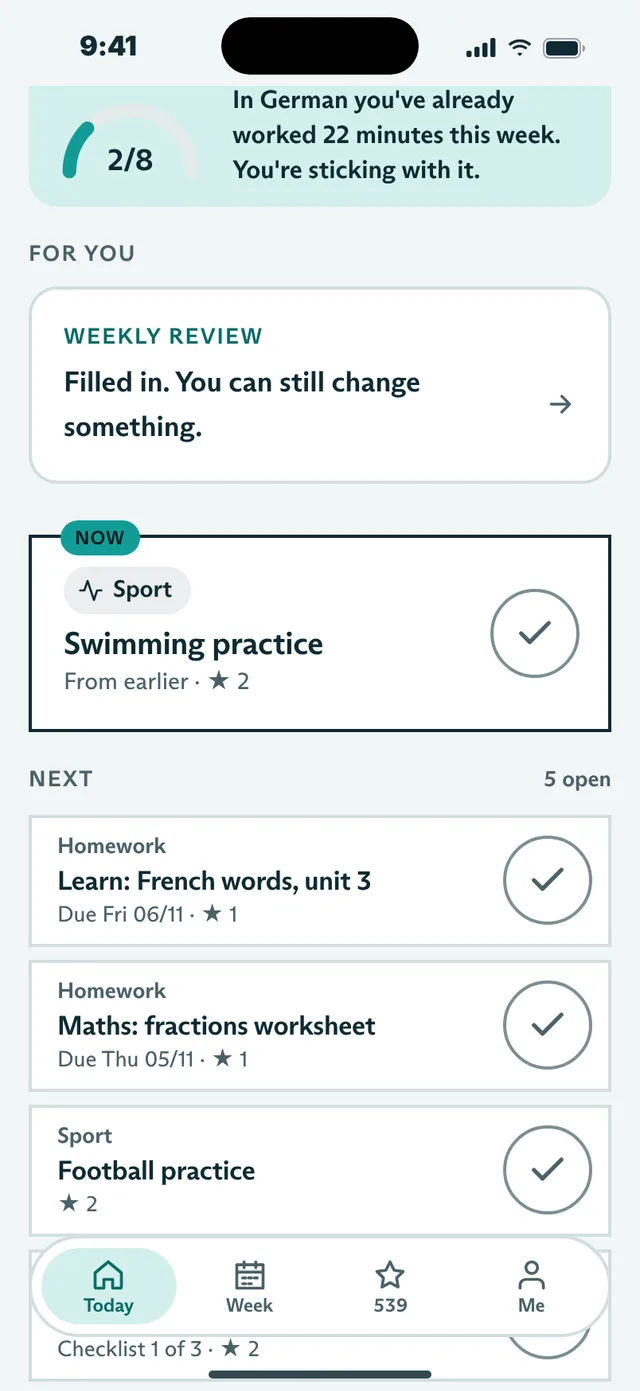
    Noah opens Rondino and knows what’s on today: chores, homework, practice. One task is marked “Now”, the rest can wait.

    Kids’ app: Today with the day’s sun
  2. 13:40

    They add homework themselves.

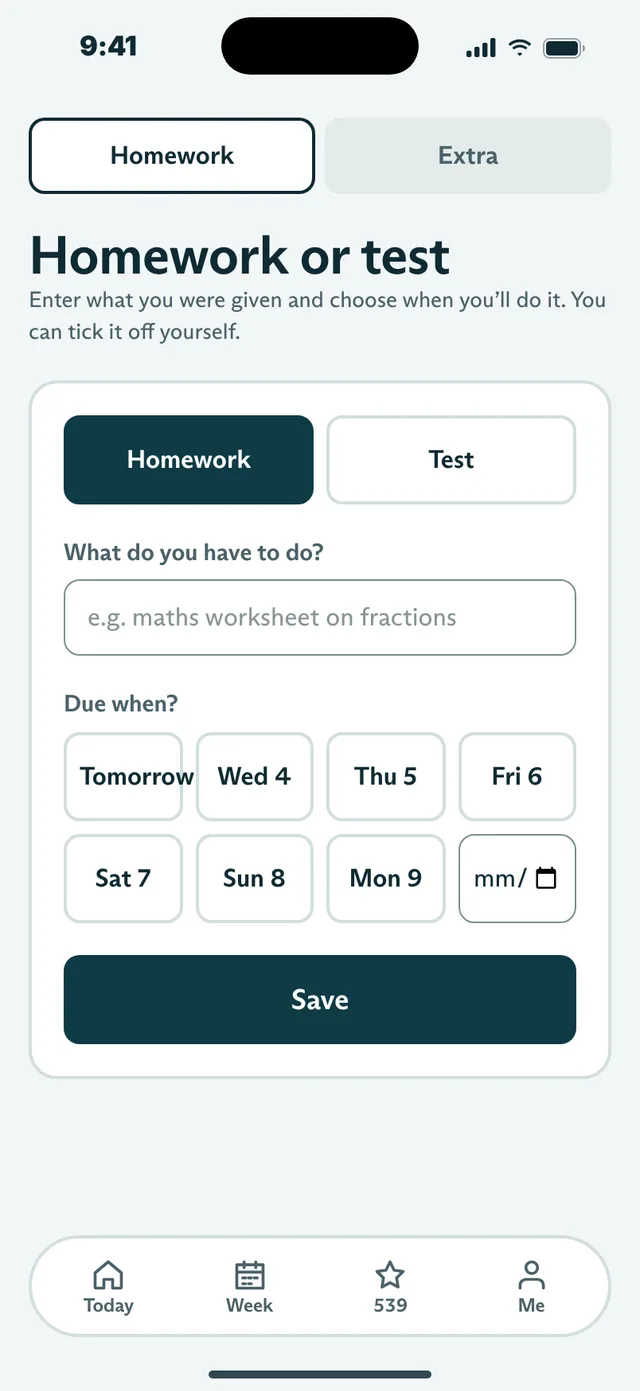
    School sends home a worksheet. Noah adds it himself with the due date, and before tests Rondino suggests study blocks.

    Kids’ app: entering homework or a test, with due date
  3. 18:30

    You confirm what’s done.

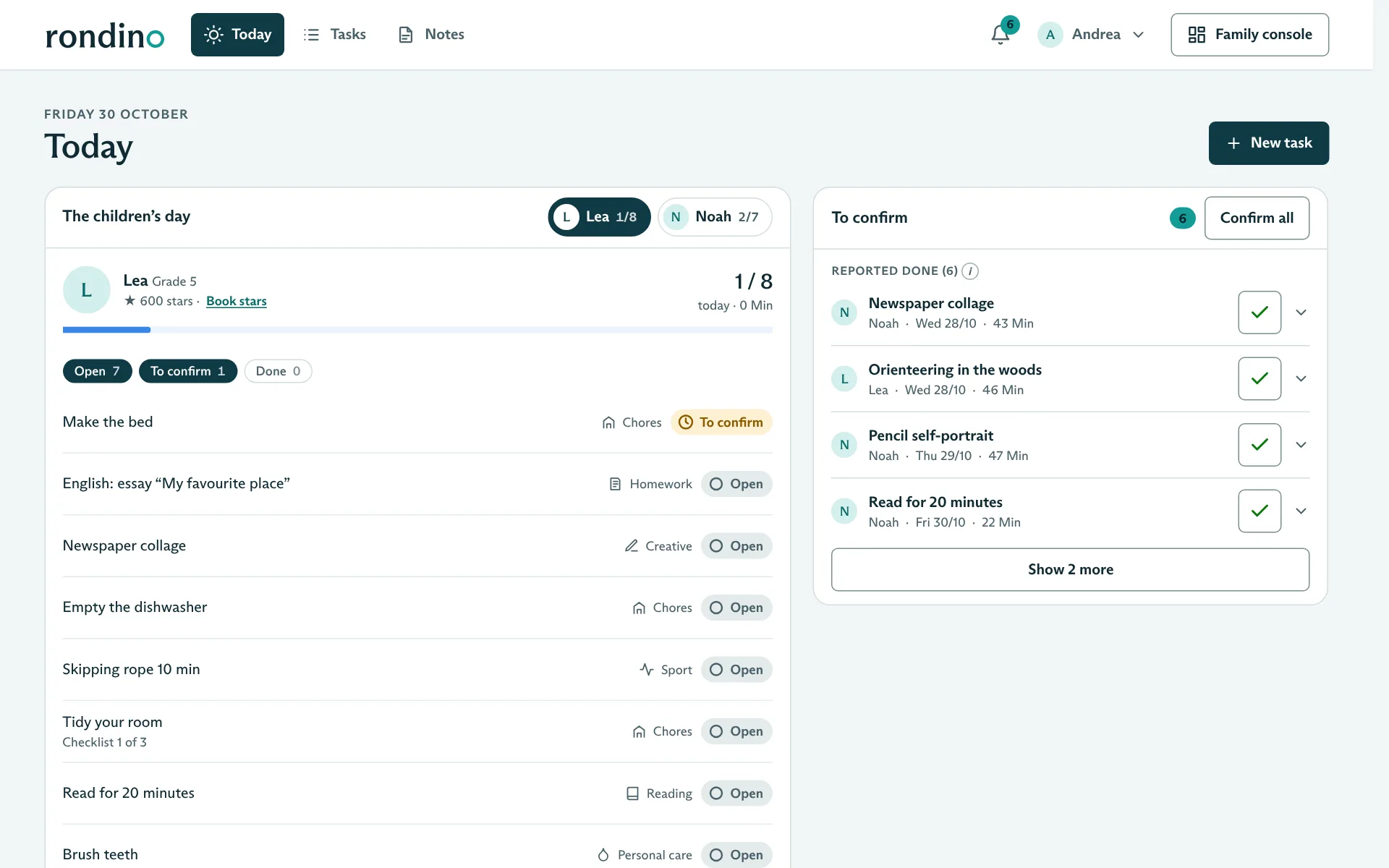
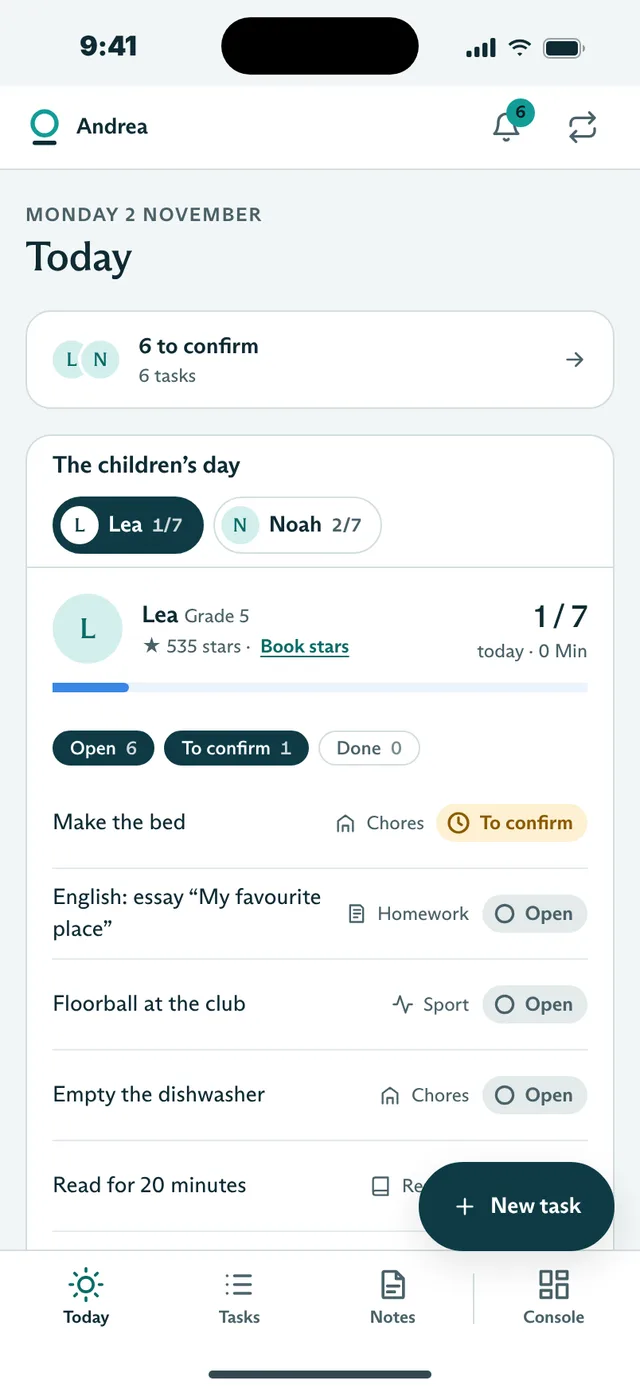
    The day app shows you every child’s day. Confirming takes one tap, with “That was good” if you like.

    Parents’ day app on the phone
  4. 19:00

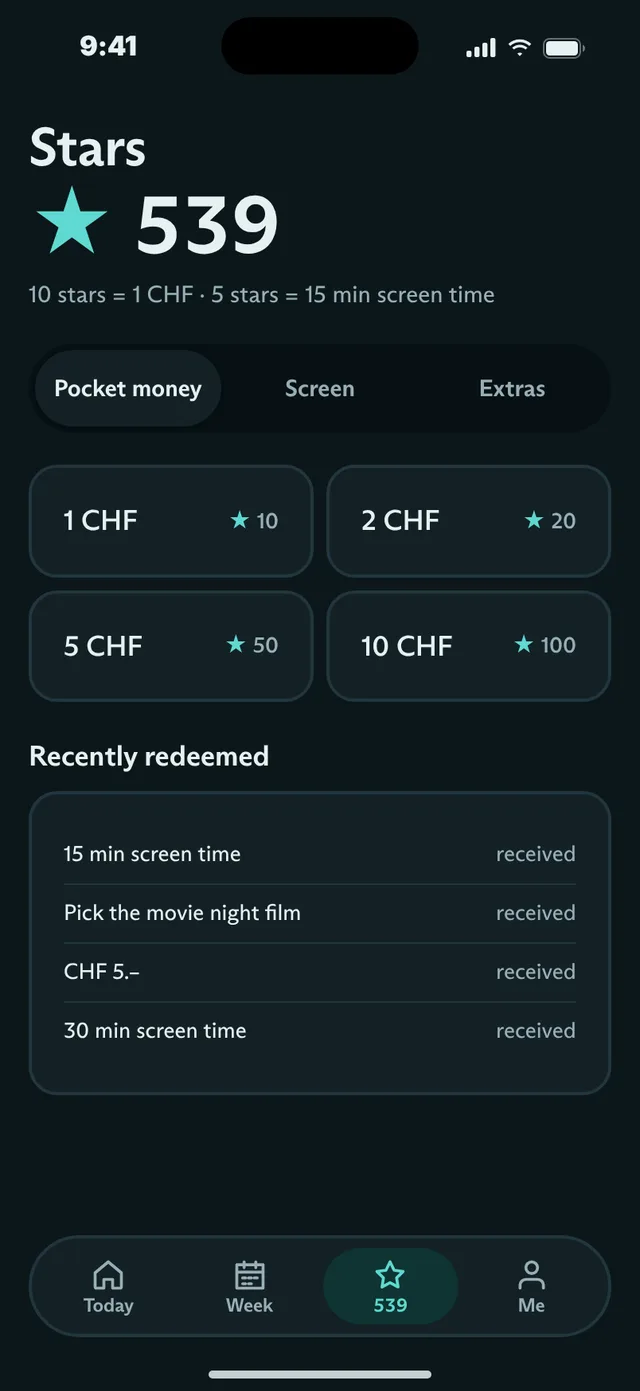
    Stars for doing it well.

    Finished tasks earn stars. Kids trade them for pocket money, screen time or extras, and you set the rate and the limits.

    Children’s app in the dark “Evening” theme: swapping stars for pocket money, screen time and extras

Less asking, more time together.

Who has which chore, is the homework done, how much screen time is left? Rondino answers before anyone has to ask.

Chores without arguments

Decide once who does what and when. Rondino distributes the chores every week; routines such as “Brush teeth” are fixed at the end of the day.

Children take responsibility

On their own phone, children only see their day and tick things off themselves. No ranking, no pressure, no comparisons between siblings.

Fair rewards

Stars for care and persistence, exchanged for pocket money, screen time or extras. You decide the rate and the limits.

This is what Rondino looks like.

Choose an area above or swipe sideways through the screens. The last three show what homeschooling families get in addition. All pictures show the fictional Keller demo family.

Every child sees their day

For the children

On their own phone or a family device, children only see what is on today: chores, homework, reading, sport. The day’s sun rises a little further with every task completed.

  • Always just one task “Up next”
  • Tick off with duration, photo or short description
  • Week stamps instead of leaderboards

1 of 10
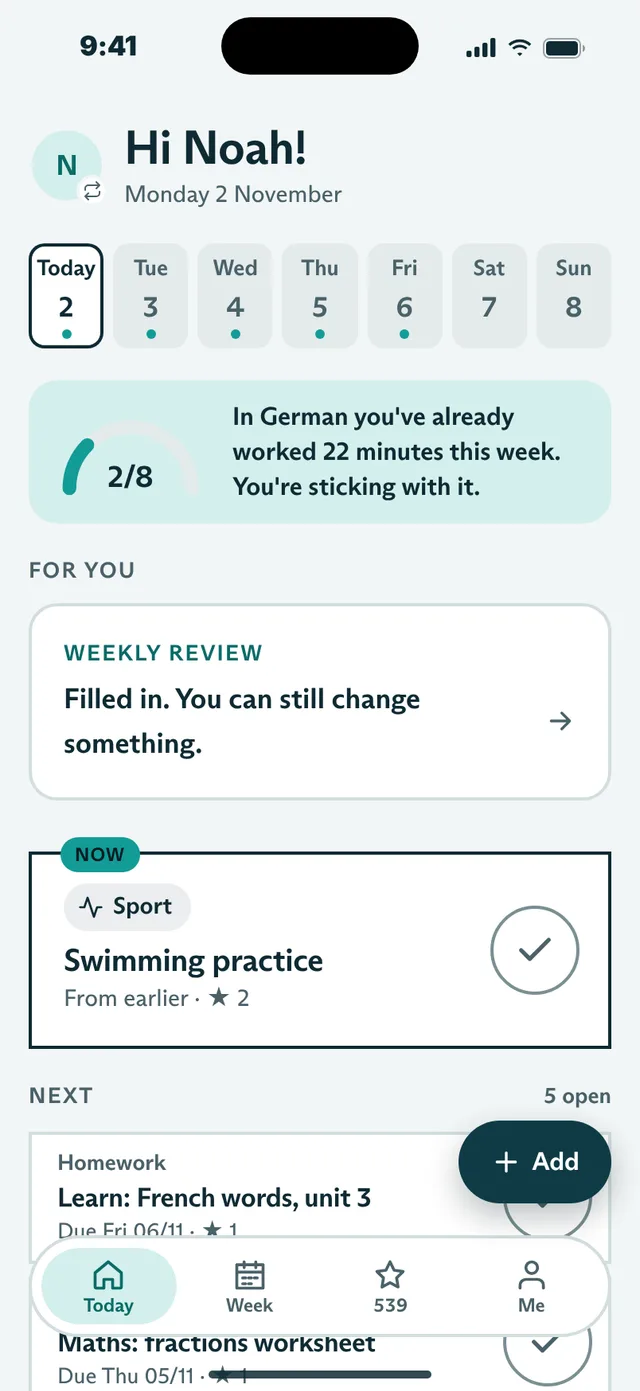
Kids’ app: Today with the day’s sun
Kids’ app: the day’s tasks with sport, creative work and homework

Chores that distribute themselves

Household

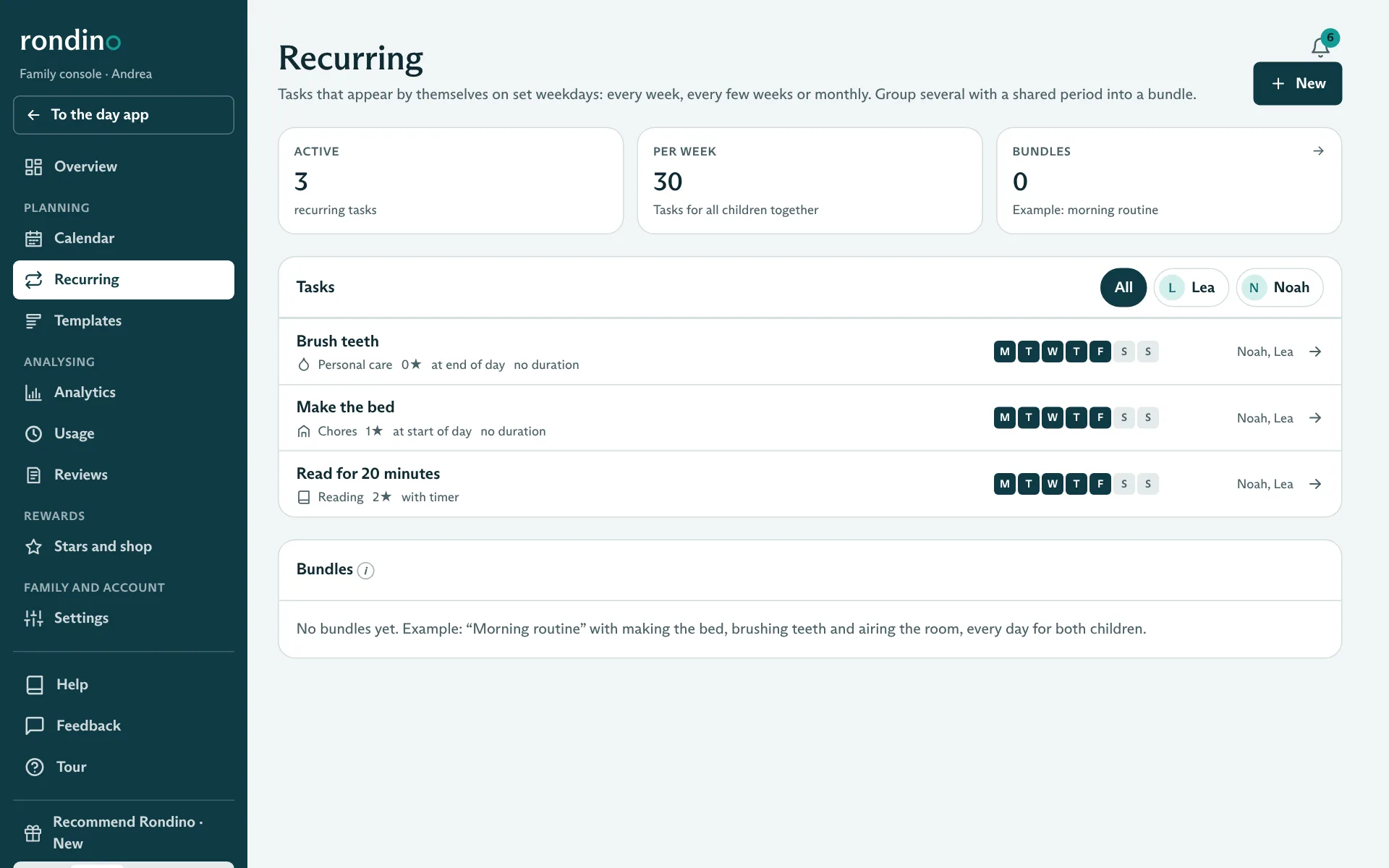
Make the bed, set the table, feed the cat: entered once under “Recurring”, chores appear on the chosen weekdays for the right children. No reminding, no arguing.

  • Recurring tasks by weekday, for one or more children
  • Fixed routines at the start and end of the day
  • Your own categories, e.g. “Garden” or “Pets”

2 of 10

Recurring chores and routines in the family console

Stars for care, not for speed

Stars

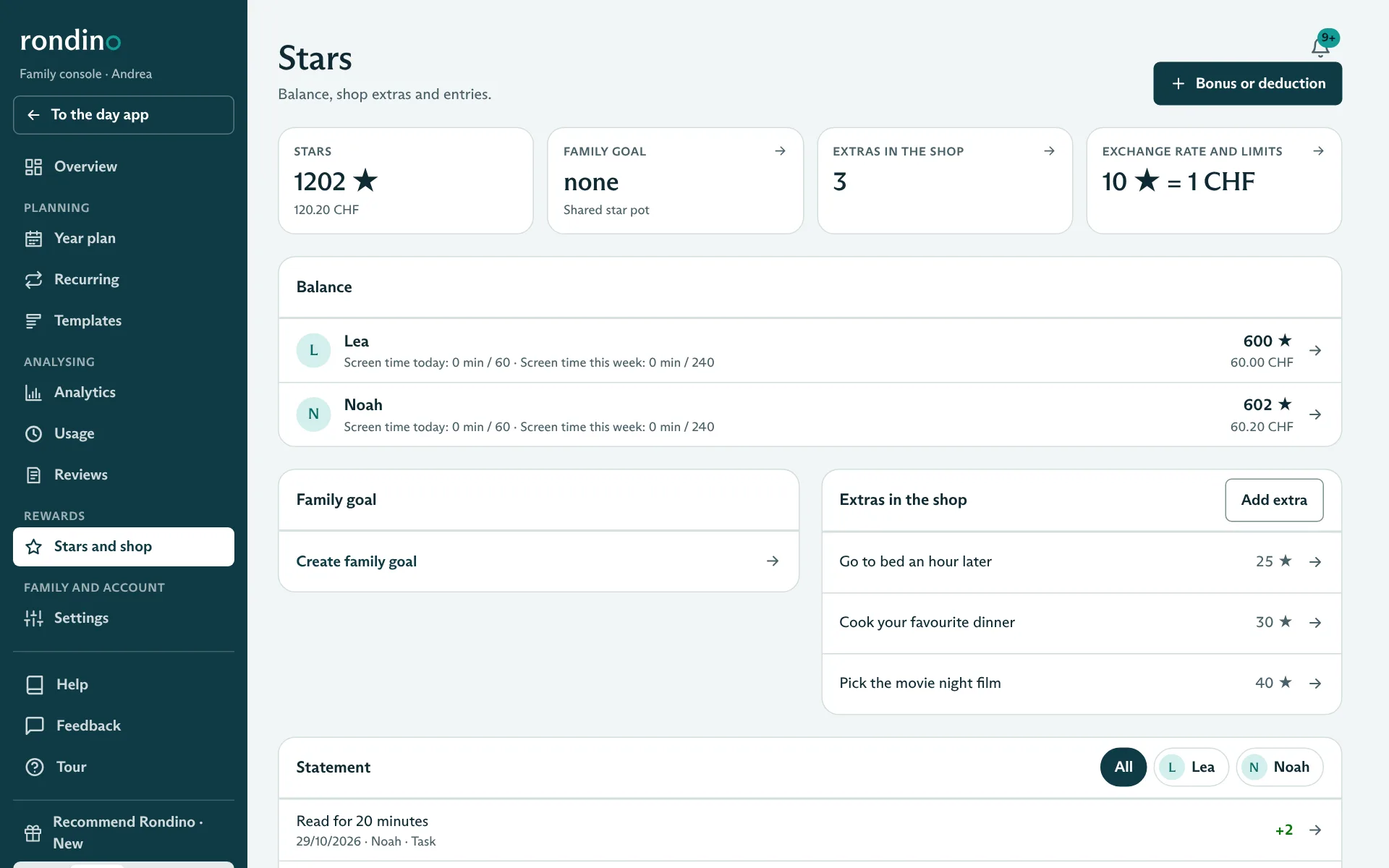
Children collect stars and exchange them for pocket money, screen time or extras. You set the rate and the limits.

  • Screen time with daily and weekly limits
  • Extras such as “Stay up an hour later”
  • Shared star jar for a family goal

3 of 10

Children’s app in the dark “Evening” theme: swapping stars for pocket money, screen time and extras

All the children’s day at a glance

For the parents

The day app shows you only what matters today: what is done, what is waiting for you, which homework is coming up. You confirm finished tasks right there, with a short note if you like.

  • Three sections: Today, Tasks and Notes
  • Confirm with “That was good” and “Next time”
  • On the phone just as on the computer

4 of 10

Parents’ day app on the phone

Plan and review when you have time

For the parents

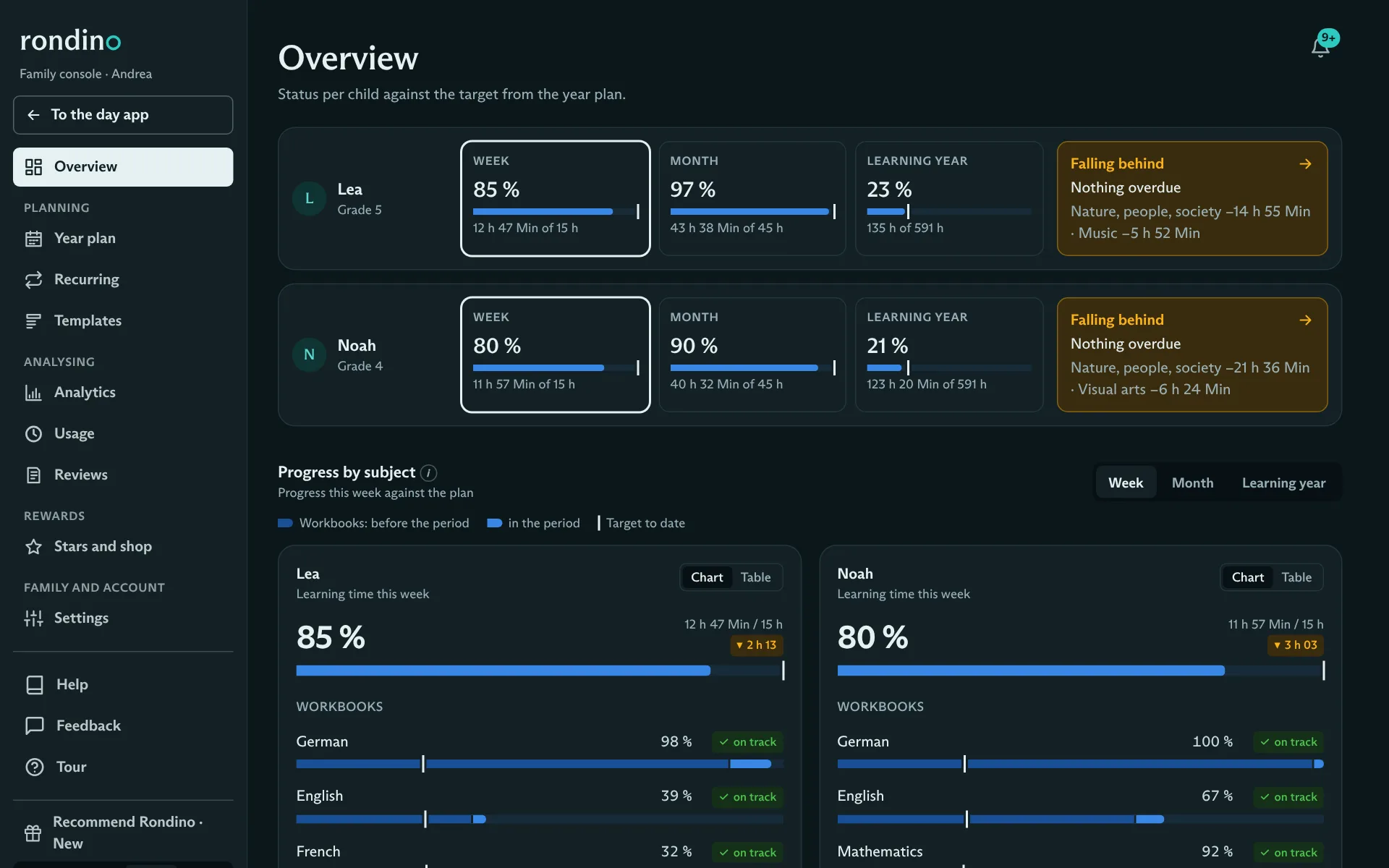
Everything that doesn’t matter every day lives in the family console: annual plan, recurring tasks, templates, stars, reports and settings. It opens with your parent PIN, so it stays yours even on a shared family device.

  • Status per child for the week, month and learning year
  • Parent PIN, then open for 15 minutes
  • Light or dark: three themes to choose from

5 of 10

Family console in the dark “Evening” theme with the status per child

Homework and tests under control

For school kids

Children enter what they bring home from school themselves, and by when. Before a test, Rondino suggests study sessions. They tick things off themselves.

  • Due date separate from the day you do it
  • Tests with up to three study sessions beforehand
  • A star if it is done before the due date

6 of 10

Kids’ app: entering homework or a test, with due date
Kids’ app: homework with due date in the daily plan

The family’s memory on paper, only digital

For you

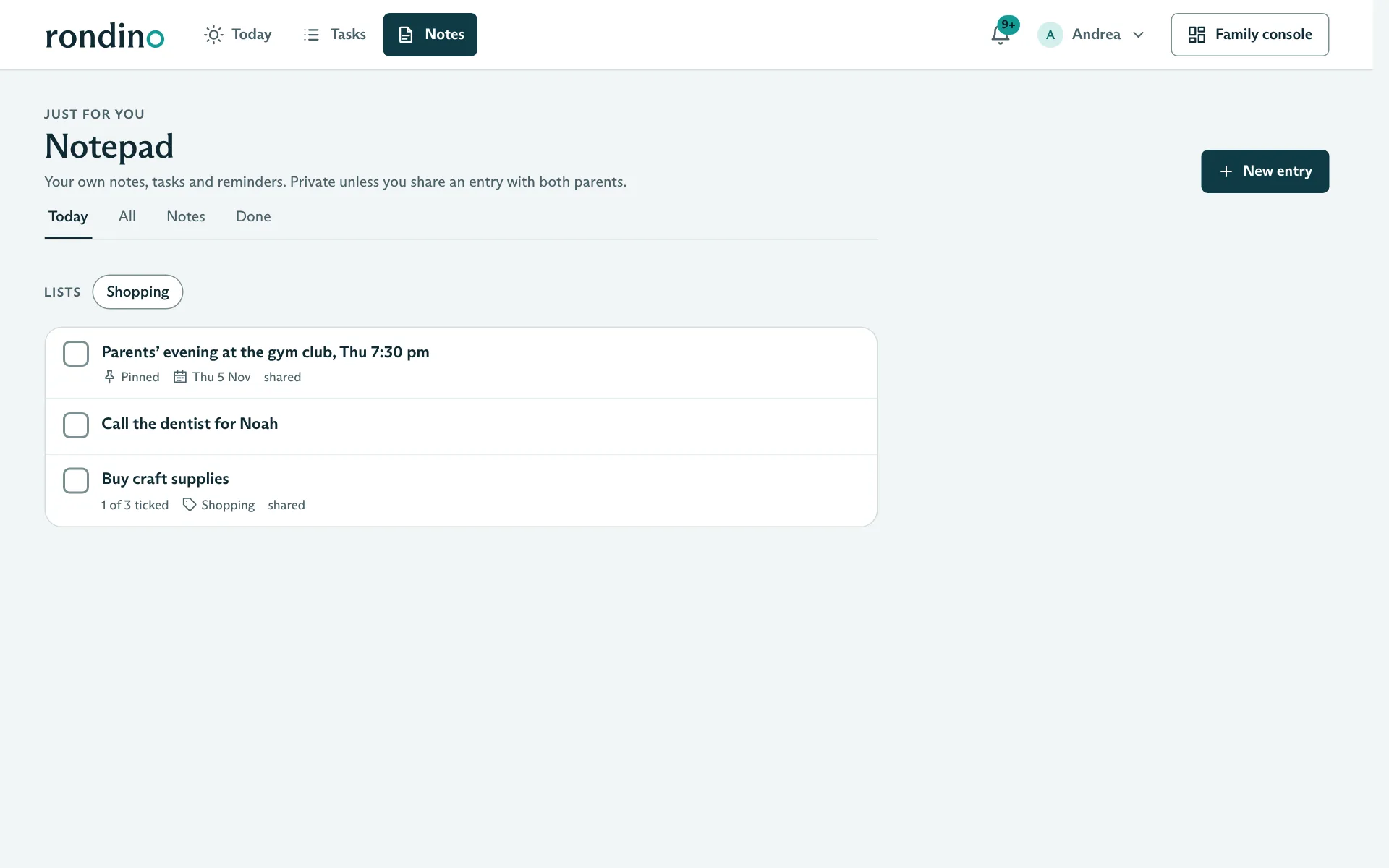
What usually hangs on notes on the fridge: appointments, shopping lists, ideas. Private or shared with the other parent, with a reminder on your phone if you like.

  • To-dos, checklists and reminders
  • Push notifications with quiet hours
  • Children have their own notepad

7 of 10

Parents’ notepad with entries, list and reminder

Target and actual across the whole learning year

For homeschooling

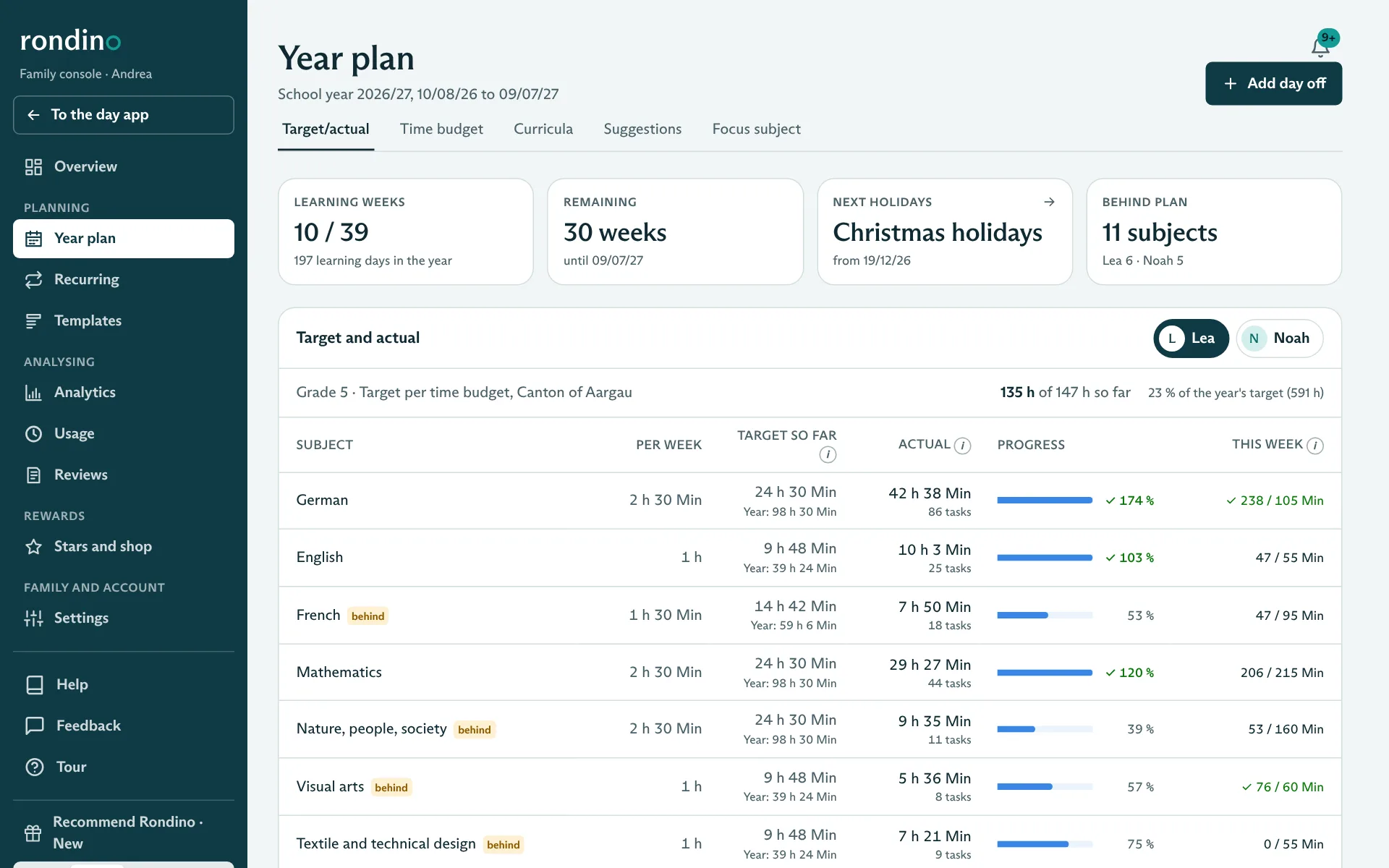
For families who learn at home: learning weeks, holidays and spontaneous days off. For each subject you see how much time was planned and how much was done.

  • Time budget by canton (Aargau, Zurich, Bern and basic model)
  • Curricula with page count: Rondino spreads out the pages
  • Weekly suggestions you release with one click

8 of 10

Year plan with learning weeks, holidays and target/actual per subject

Structure for children who need it

For homeschooling

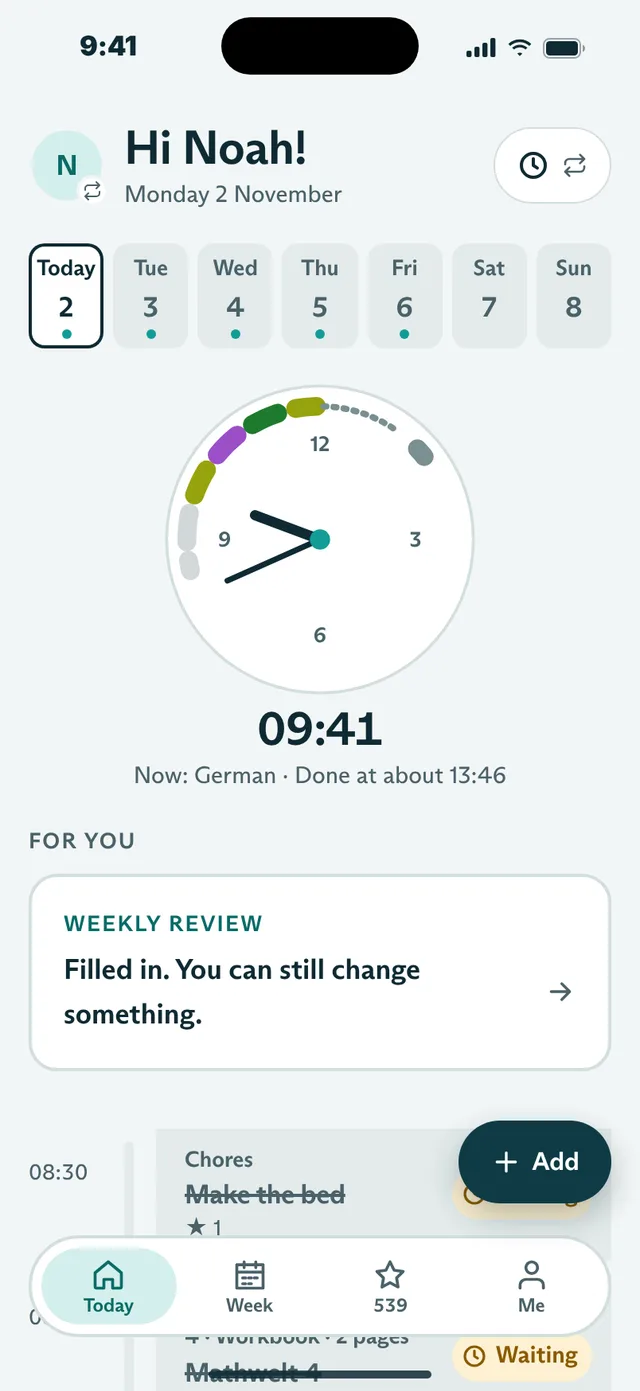
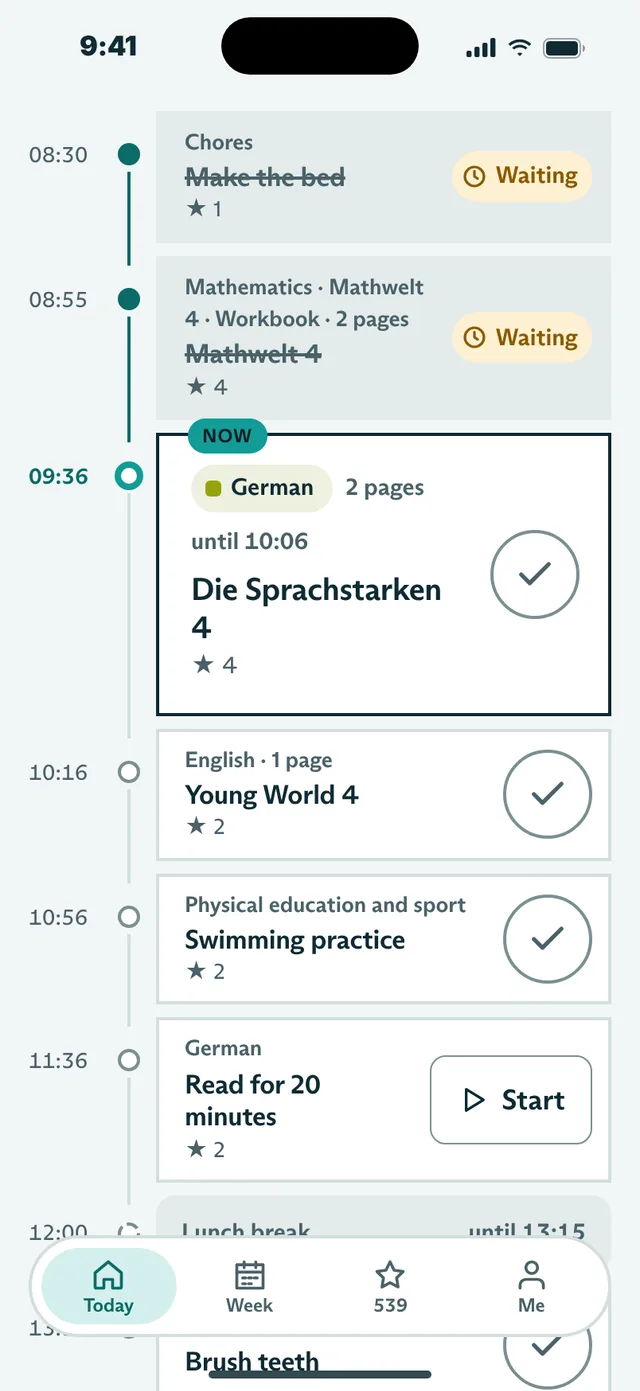
Some children get through the day better when every subject has its time. The timetable lines subjects up from a start time, with breaks and a fixed lunch. If a child finishes early, everything moves forward.

  • Turn on per child and week, switch off single days
  • Timeline with a clock in three views, the child chooses
  • No countdown and no red times

9 of 10

Children’s app with timetable: clock with a coloured ring of subjects and a timeline
Children’s app with timetable: the day’s subjects on a timeline

The learning report writes itself

For homeschooling

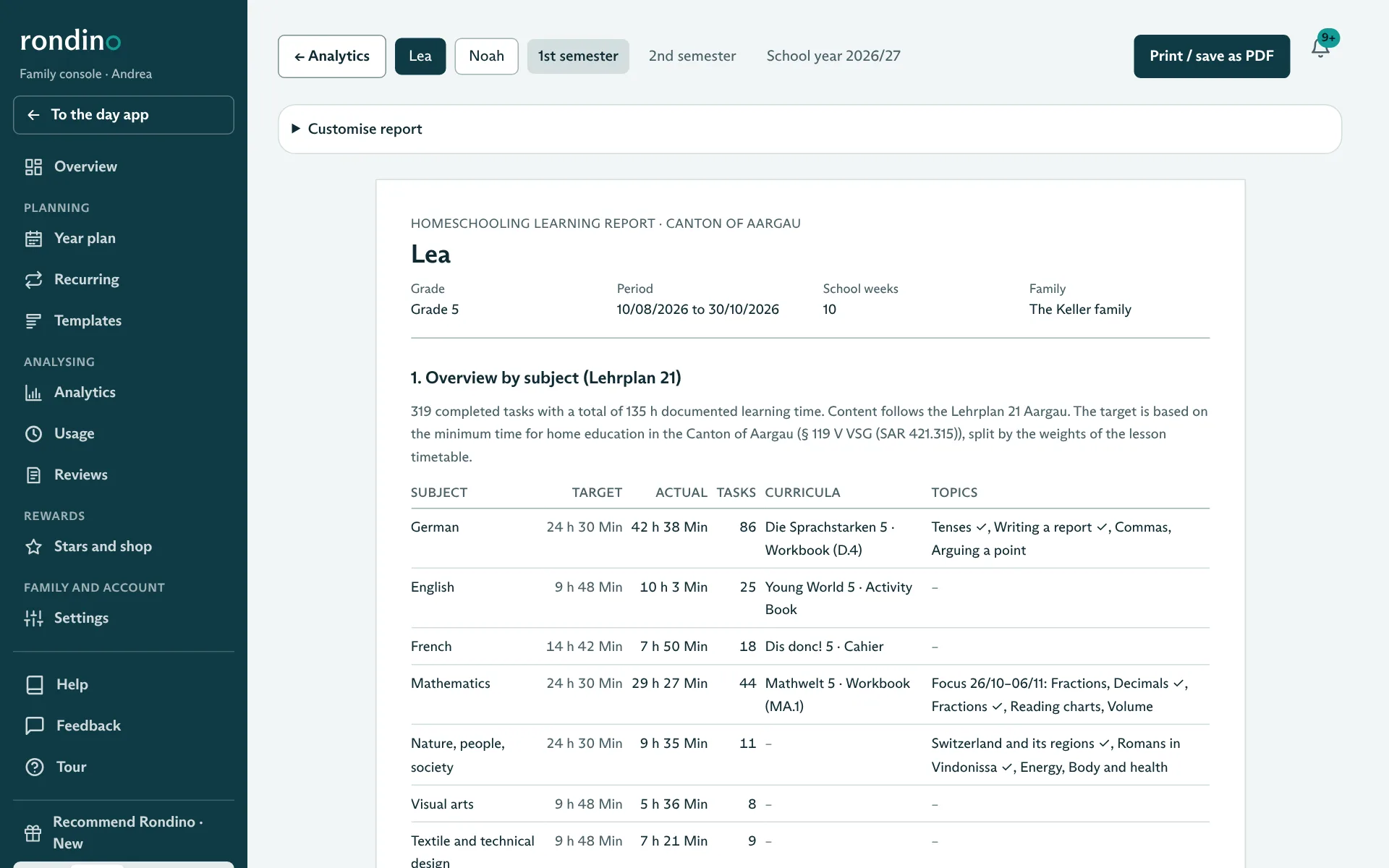
In the background, each learning task is assigned to a Lehrplan 21 subject. From this comes the report per child and semester, ready to print as PDF.

  • Overview by subject with curricula and topics
  • Documented work with photos
  • Learning portfolio following the canton of Aargau’s fact sheet

10 of 10

Learning report with overview by subject according to Lehrplan 21

All features in detail

Simple to use, thorough in analysis.

Simple

The children’s app shows one thing per line. Parents have what they need for today in the day app and all the figures in the family console.

The family decides

You decide on chores, categories and rewards. For homeschooling: Lehrplan 21 is the foundation, not a straitjacket.

Without pressure

No leaderboards, no comparisons between siblings, no streaks that are lost when a day is missed.

Data in Switzerland

The database and photos are in Zurich. Only your family sees its data.

Your data stays your data.

Rondino stores children’s tasks, photos and feedback. That is why security is not an extra, but standard equipment.

All questions about security and privacy

Stored in Zurich

The database, photos and backups are in a data centre in Zurich, encrypted on disk (AES-256).

Always encrypted in transit

Every connection uses HTTPS or TLS. Photos are only delivered via short-lived, protected links.

Two-factor login for all parents

Parents log in with a password and a code from the authenticator app. After five failed attempts, access is locked.

Every family on its own

Other families see nothing. An automatic check verifies this on every change to the code.

Prices to follow.

Rondino is in a closed test phase with invited families. We will announce prices before the official launch.

  • Test families use all features
  • Feedback goes straight into the next versions
  • No subscription and no payment during the test phase

Give a year of Rondino.

For families you care about: grandparents, godparents or friends give a year of calmer mornings. The gift subscription will be available from the official launch after the test phase.

  • A code by email and a gift card to print
  • The family redeems the code in Rondino whenever they like
  • Pay by card or TWINT, no subscription and nothing to cancel

Not available yet

Rondino is free during the test phase, so there is nothing to give yet. Prices and the gift subscription will follow with the official launch.

Created at our own family table.

“We built Rondino for our own family, because no app suited us: too playful for the children or too complicated for us. Today the week is planned quickly on Sunday evening, and the chores distribute themselves.”
DSDaniel SchmidheinyFounder of Rondino, father of two
“The mornings have changed the most. The children check for themselves what is on, from chores to the maths page, and in the evening they show me what they have achieved.”
SSSabrina SchmidheinyFounder of Rondino, mother of two

Ready for your first day with Rondino?

Set up your family, add the children with a PIN, create chores and first tasks. If you learn at home, also enter the learning year and curricula, and Rondino will suggest the right learning tasks every week.